XianMuIMS
闲沐 IMS · AI 智能物资管理平台,面向极客工作室的本地物资管理:截图/图片入库、扫码与手机传图、位置地图、标签打印、项目 BOM、库存与保质期/校准提醒。把元件、工具、五金件和耗材的型号、库存、数据手册、购买链接与替代型号收在一处,少翻盒子,少重复买,项目缺料早知道。数据存在自己的电脑或 NAS 里
About XianMuIMS
闲沐 IMS · AI 智能物资管理平台,面向极客工作室的本地物资管理:截图/图片入库、扫码与手机传图、位置地图、标签打印、项目 BOM、库存与保质期/校准提醒。把元件、工具、五金件和耗材的型号、库存、数据手册、购买链接与替代型号收在一处,少翻盒子,少重复买,项目缺料早知道。数据存在自己的电脑或 NAS 里
How to connect
How do I run XianMuIMS?
Install and run it from its source repository, github.com/miaokingsoft/XianMuIMS. The README there covers the install command and any credentials it needs.
Questions and answers
What is XianMuIMS?
XianMuIMS is an MCP server in the Other category. 闲沐 IMS · AI 智能物资管理平台,面向极客工作室的本地物资管理:截图/图片入库、扫码与手机传图、位置地图、标签打印、项目 BOM、库存与保质期/校准提醒。把元件、工具、五金件和耗材的型号、库存、数据手册、购买链接与替代型号收在一处,少翻盒子,少重复买,项目缺料早知道。数据存在自己的电脑或 NAS 里
How do I connect to XianMuIMS?
Install and run it from its source repository, https://github.com/miaokingsoft/XianMuIMS. The README there covers the install command and any credentials it needs.
Where is XianMuIMS published?
Its homepage is https://imsdemo.miaoking.com/ and its source repository is https://github.com/miaokingsoft/XianMuIMS. RUAGENTIC read these details from GitHub on November 20, 2026 and did not install or run the project.
Sources and checks
View the sourceSource information collected November 20, 2026.
Badge and embed
Show this listing on your website or README. The badge and the card link back to this page.

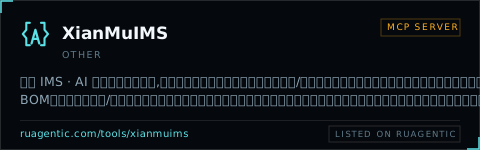
[](https://ruagentic.com/tools/xianmuims)<a href="https://ruagentic.com/tools/xianmuims"><img src="https://ruagentic.com/badge/xianmuims.svg" alt="Listed on RUAGENTIC" height="28"></a>[](https://ruagentic.com/tools/xianmuims)<iframe src="https://ruagentic.com/embed/xianmuims" width="480" height="150" style="border:0;max-width:100%" loading="lazy" title="XianMuIMS on RUAGENTIC"></iframe>